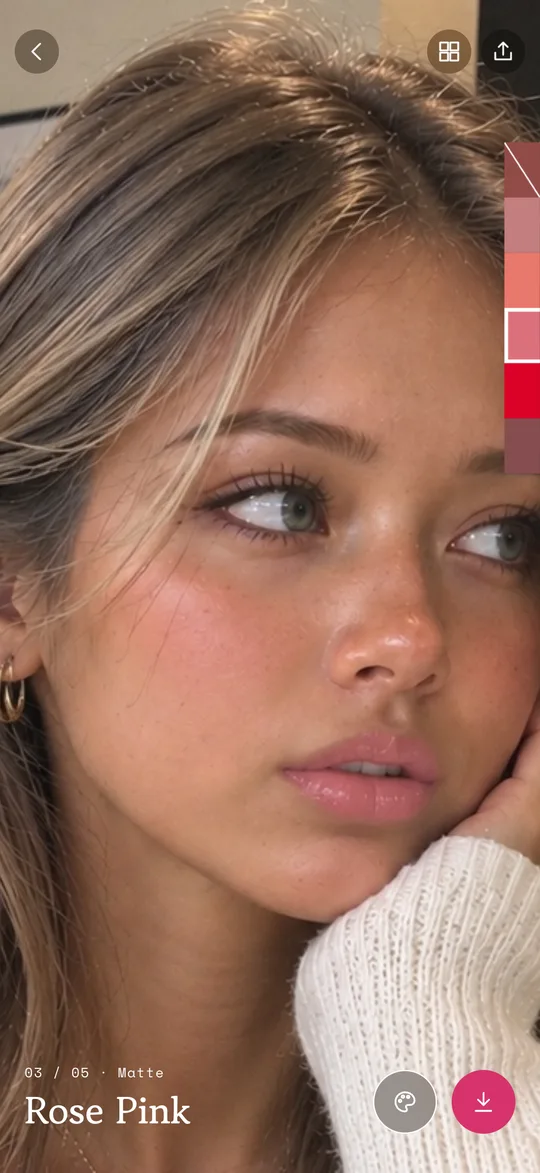
Try shades on your photo
Take a selfie or pick one from your album and your lips are found automatically. Tap any of 16 popular shades to change the color instantly, and hold the photo to see the original.
Pick a selfie, tap a shade, and see it on your lips. Compare up to four colors in one image before you buy.
Mirrorette is an iPhone app that changes the lip color in your selfie or album photo, right on your device.
Download on the App StoreiPhone, iOS 18 or later. Free to use.
Take a selfie or pick one from your album and your lips are found automatically. Tap any of 16 popular shades to change the color instantly, and hold the photo to see the original.
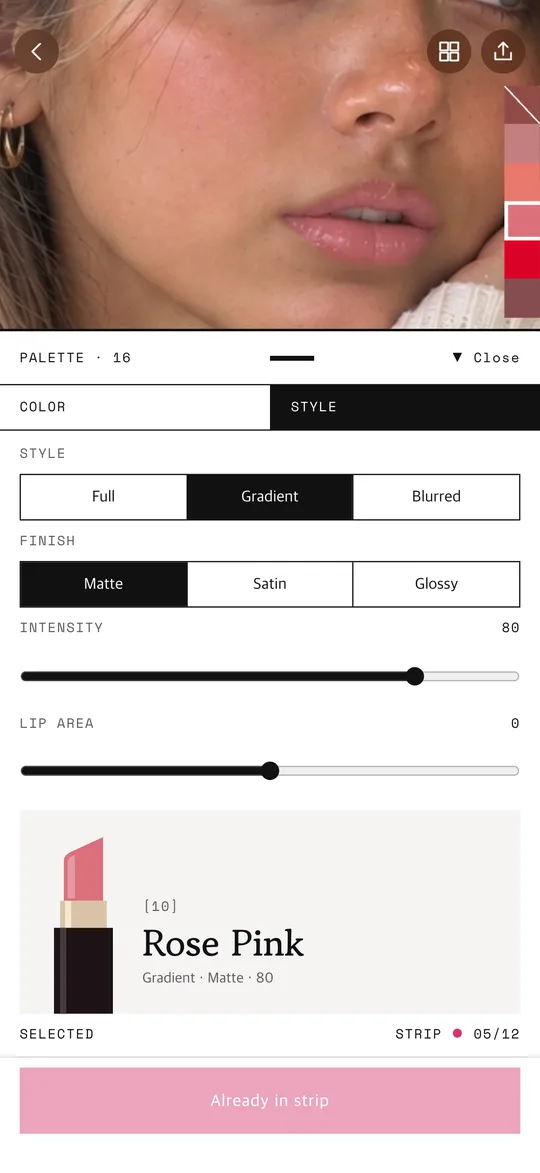
Three ways to apply and three finishes: matte, satin and gloss. Adjust intensity and the lip area with sliders.
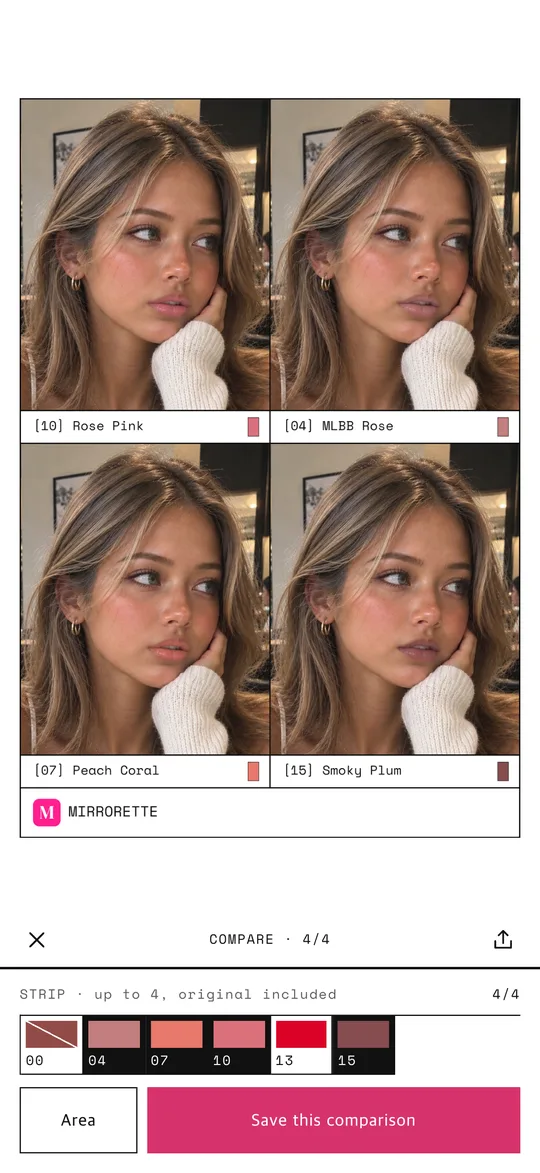
Put up to four shades side by side in one image, then save or share it.
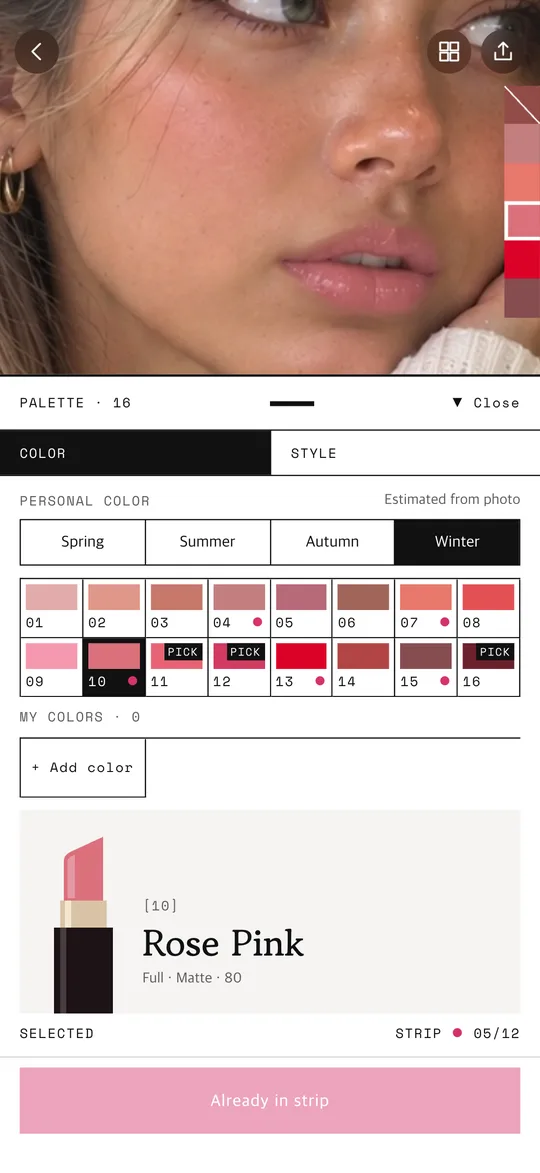
A short survey and a personal color estimate from your photo highlight shades that may suit you. It is an estimate, not a diagnosis. You can also make your own colors with a color picker or by tapping a lip photo.
Lip detection and coloring run entirely on your device. Your face photos and results are never uploaded. Sign-in is optional and only needed to keep your colors across devices or to subscribe.
If you choose a product screenshot in PRO, it is processed only after you agree, only to read the colors, and is not stored.
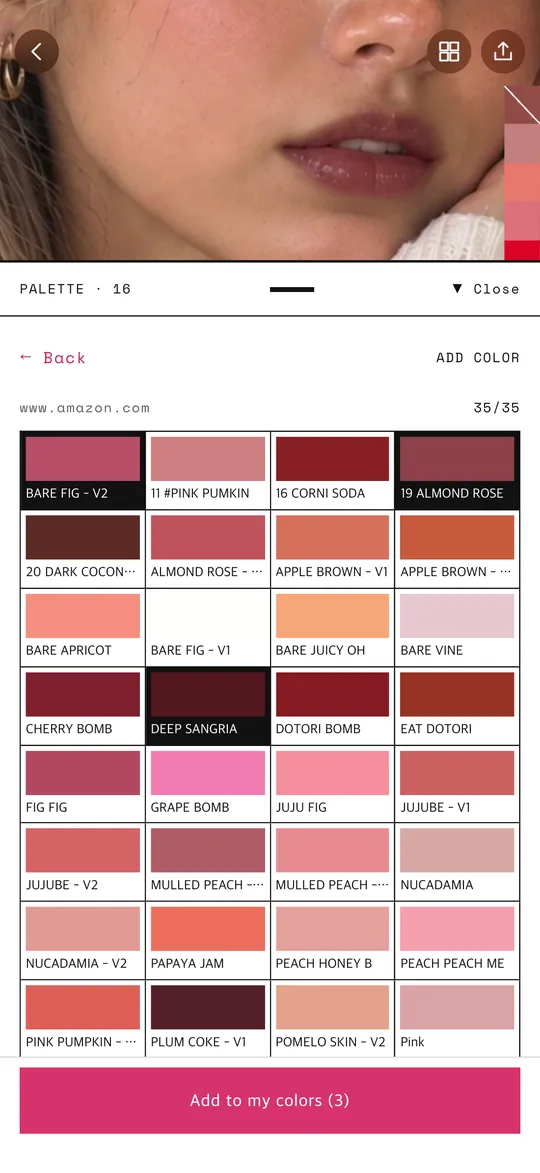
Import shade names and colors from a shop's product link or a product image, then try them on your photo. Works with shops such as Olive Young, Sephora and Amazon; what can be read varies by shop. Up to 100 imports per month. $3.99 per month, auto-renewing, cancel anytime in your App Store settings.
| Free | PRO | |
|---|---|---|
| Try shades, styles and finishes | Free | Free |
| Compare 4 shades · save · share | Free | Free |
| Personal color estimate · your own colors | Free | Free |
| Import shades from product links and images | — | 100 per month |
Last updated: 2026-10-30
No. Lip detection and coloring run on your device, and face photos are never uploaded. When you import colors from a product screenshot with PRO, that image is processed only after you agree and is not stored.
Yes for trying shades, choosing styles and finishes, comparing four shades, and the personal color estimate. Importing colors from product links and images is PRO.
Not exactly. Screen brightness, lighting and your photo change how colors look. Use it to narrow your choices, then check the real shade before you buy.
No. It is an estimate from a survey and your photo, and its accuracy has not been verified. You can change it any time.
Not yet. Mirrorette works on iPhone with iOS 18 or later.